
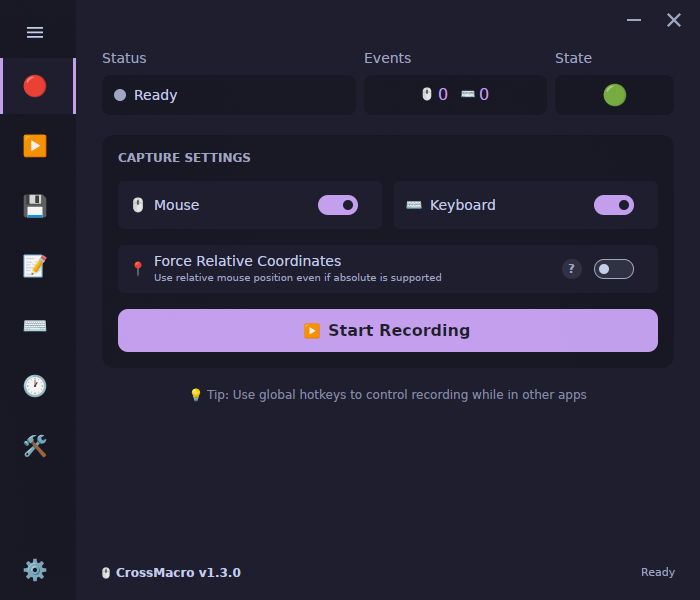
Wayland and X11 support
CrossMacro records and replays mouse and keyboard macros on Linux Wayland and X11. Use it for a short data-entry sequence or repeated application navigation, then refine actions and timing in the editor. Input access, pointer coordinates, screen capture, and window control are separate capabilities: support for one does not guarantee the others.
If you are coming from an xdotool workflow, note that X11 automation is not automatically compatible with native Wayland applications. CrossMacro uses XInput2/XTest on usable X11 sessions and different input paths on Wayland. This is a session-compatibility distinction, not a promise that every X11 workflow transfers unchanged.
Install and check access
Choose a package from the downloads section. For Flatpak, with Flatpak and the Flathub remote available, run these commands from your desktop session:
flatpak install flathub io.github.alper_han.crossmacro
flatpak run io.github.alper_han.crossmacro setup
flatpak run io.github.alper_han.crossmacro doctor --json --verbose
On Wayland, Flatpak needs writable /dev/uinput or/dev/input/uinput for playback and readable/dev/input/event* for recording and global hotkeys. Quick Setup authorizes temporary ACLs through host polkit tooling; graphical authorization needs a running authentication agent. Repeat setup after reboot or device re-enumeration if needed. Input-device access is sensitive: it exposes keyboard input to processes running as your user.
Native Debian/Ubuntu and Fedora/RHEL packages are available fromGitHub Releases; download the matching architecture. Install only the package appropriate to your distribution:
- Debian/Ubuntu:
sudo apt install ./crossmacro*.deb - Fedora/RHEL:
sudo dnf install ./crossmacro*.rpm - Arch Linux, stable AUR package:
yay -S crossmacro
These native Wayland packages use the daemon. Runcrossmacro doctor --json --verbose before changing permissions. Your desktop user needs crossmacro group membership;log out and back in after membership changes. If the installer could not add you, use sudo gpasswd -a "$USER" crossmacro. The packaged daemon targets systemd; only if activation was skipped, runsudo systemctl enable --now crossmacro.service. Follow the Linux referencefor AppImage, NixOS, and detailed setup diagnostics.
Record your first macro
- Open a disposable text document or harmless test interface. Avoid passwords, payments, or destructive actions.
- Open CrossMacro and press F8 to record. Perform a short sequence, then press F8 again to stop.
- Restore the target application's starting state and focus it. Press F9 to replay; F10 pauses or resumes playback.
- Save the macro, adjust actions or timing in the editor, and test the revised sequence before using it on real work.
These hotkeys are customizable. Keep the initial example small so that unexpected focus, timing, or pointer behavior is easy to spot. Once reliable, follow thescheduling guide to run it later.
Coordinate and compositor limits
Niri currently records raw-relative pointer movement. Flatpak on COSMIC also records raw-relative movement; native COSMIC is not categorically relative-only. Native absolute behavior depends on its input backend, output geometry, and live cursor state. Raw device deltas are not guaranteed to equal desktop pixels.
Permission to inject input does not reveal the global pointer position. Compositor integrations and live cursor samples determine coordinate capabilities. Flatpak Wayland screen reading uses Portal ScreenCast, so select every monitor needed for image or color checks. Consult thefull Linux capability referencefor compositor details and the window-control matrix.
Common questions
Why can playback work while recording fails?
Writable uinput can enable playback while unreadable event devices prevent recording. Check both capabilities in your package's doctor report.
Will installing the host daemon fix Flatpak input?
No. Flatpak does not select the host daemon. Use its package-specific setup and doctor commands in the desktop session you intend to automate.